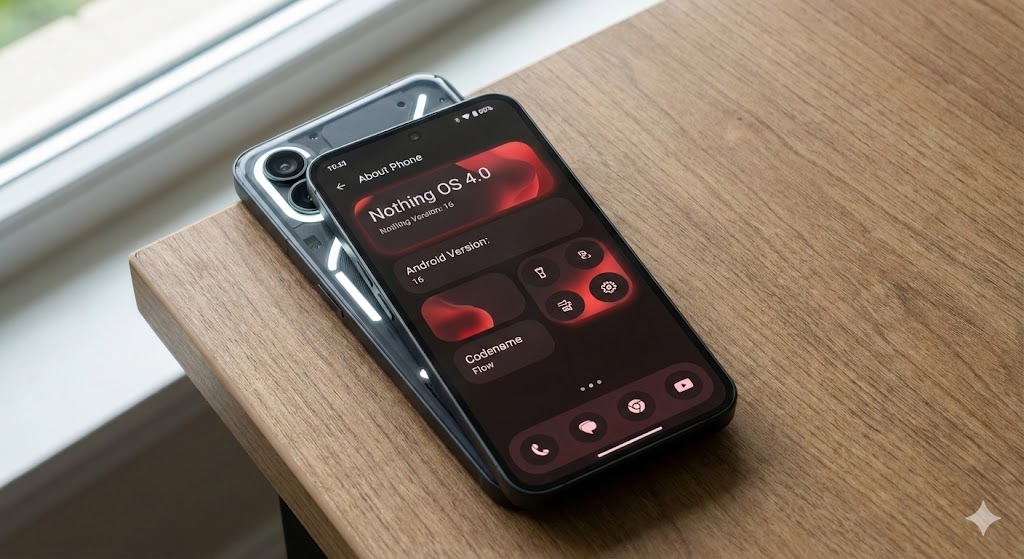
The wait is finally over. After months of beta testing and anticipation, Nothing has officially begun the stable rollout of Nothing OS 4.0, based on the latest Android 16. Codenamed “Flow,” this major update marks a significant evolution in Nothing’s software philosophy, moving beyond just stark minimalism to a more fluid, interconnected, and intelligent user experience.
Starting today, November 21, the update is hitting the first wave of eligible devices, bringing a host of new customization options, improved multitasking, and deeper AI integration.
Here is everything you need to know about Nothing OS 4.0.
The Philosophy of ‘Flow’
Unlike previous updates that focused heavily on the Dot Matrix aesthetic, Nothing OS 4.0 emphasizes motion and fluidity. The new “Flow” design language introduces smoother animations that react naturally to your touch. Transitions between apps, the notification shade, and the lock screen feel more organic, reducing the jarring “digital” feel of standard Android.
Top 5 New Features in Nothing OS 4.0
1. Enhanced Pop-Up View Multitasking
Taking a page from desktop productivity, the new Pop-Up View allows users to run apps in resizable floating windows. You can now pin a calculator over your spreadsheet or keep a YouTube video playing in a corner while you browse X (formerly Twitter).
- How it works: Swipe up to the corner of the screen to shrink an app into a floating window. You can minimize it to a bubble or expand it back to full screen instantly.
2. Extra Dark Mode
For the night owls and OLED enthusiasts, Nothing has introduced Extra Dark Mode. While standard Dark Mode is great, this new toggle forces a pitch-black interface across more third-party apps and dims the display below the standard hardware minimum, making it perfect for reading in bed without eye strain.
3. Essential Playground & AI Widgets
Building on the “Essential” glyph notifications, OS 4.0 introduces the Essential Playground. This is a community-driven platform where users can create and share “Essential Apps”—lightweight, widget-like micro-apps that sit on your home screen.
- AI Dashboard: A new addition to the Essential Space that tracks how on-device AI models are being used, offering transparency on privacy and battery consumption.
4. New Lock Screen Customization
Customization gets a massive boost with two new clock faces:
- Stretch: A typographic clock that dynamically expands and contracts based on the number of notifications you have.
- Minimal: A super-slim, text-based clock for those who want zero distractions.
- Note: The controversial “Lock Glimpse” feature (glanceable news/updates) is present but disabled by default on the Phone (3a) series following user feedback.
5. Camera ‘Stretch’ Mode
Previously exclusive to the Phone (3), the Stretch camera preset is now rolling out to the Phone (2) series. This features uses AI to subtly reframe and correct perspective in photos, giving them a wider, more cinematic look without the distortion usually associated with wide-angle lenses.
Android 16 Core Improvements
Since this is built on Android 16, users also get the core benefits of Google’s latest OS:
- Live Updates: Real-time tracking for food delivery and rides directly in the notification shade (Dynamic Island style).
- Advanced Protection: A new security sandbox mode for high-risk users.
- Audio Sharing: Native support for Auracast to share audio with nearby headphones easily.
Eligible Devices and Rollout Schedule
Nothing is pushing this update faster than previous years. The stable build is rolling out today for the following devices:
- Nothing Phone (3)
- Nothing Phone (3a) & (3a) Pro
- Nothing Phone (2)
- Nothing Phone (2a) & (2a) Plus
- CMF Phone 2 Pro
What about Phone (1)? Unfortunately, the Nothing Phone (1) has reached the end of its major OS update lifecycle and will likely remain on Nothing OS 3.x, though it will continue to receive security patches.
How to Update
If you haven’t received the notification yet, you can check manually:
- Go to Settings > System.
- Tap on System Update.
- If Nothing OS 4.0 is available, tap Download and Install.
Pro Tip: Ensure your battery is above 50% and you have at least 4GB of free storage space before initiating the installation.
Final Verdict
Nothing OS 4.0 feels like the “coming of age” update for the company. By blending the raw utility of Android 16 with their unique “Flow” aesthetics, Nothing has created a software experience that finally matches the premium look of their hardware.